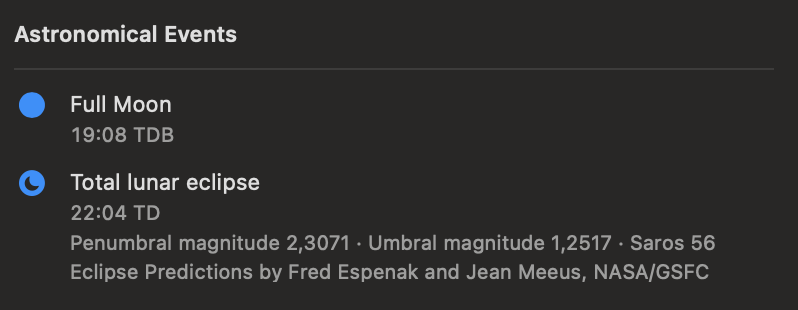
Select a day, then look under Astronomical Events in the inspector’s Day tab. Chronologia lists events whose calculated instant falls on that day.
Astronomical events are displayed automatically; event-pack settings do not affect them.
Seasons and Moon phases
Chronologia can show:
- March and September equinoxes
- June and December solstices
- New Moon
- First Quarter Moon
- Full Moon
- Last Quarter Moon
The time beside these events is labeled TDB: Barycentric Dynamical Time. It is an astronomical time scale, not your local civil time.
Solar eclipses
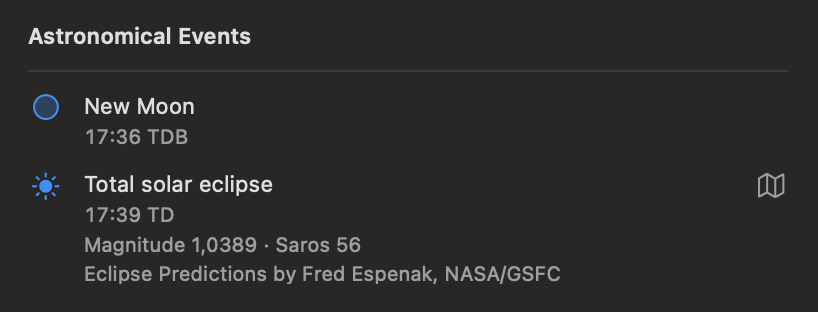
Solar eclipses are identified as total, annular, hybrid, or partial. The inspector shows:
- The time of greatest eclipse, labeled TD
- Eclipse magnitude to four decimal places
- The Saros series number
- The source acknowledgement
TD is dynamical time rather than local clock time. Solar-eclipse predictions are credited in the app to Fred Espenak, NASA/GSFC.
Show the eclipse path
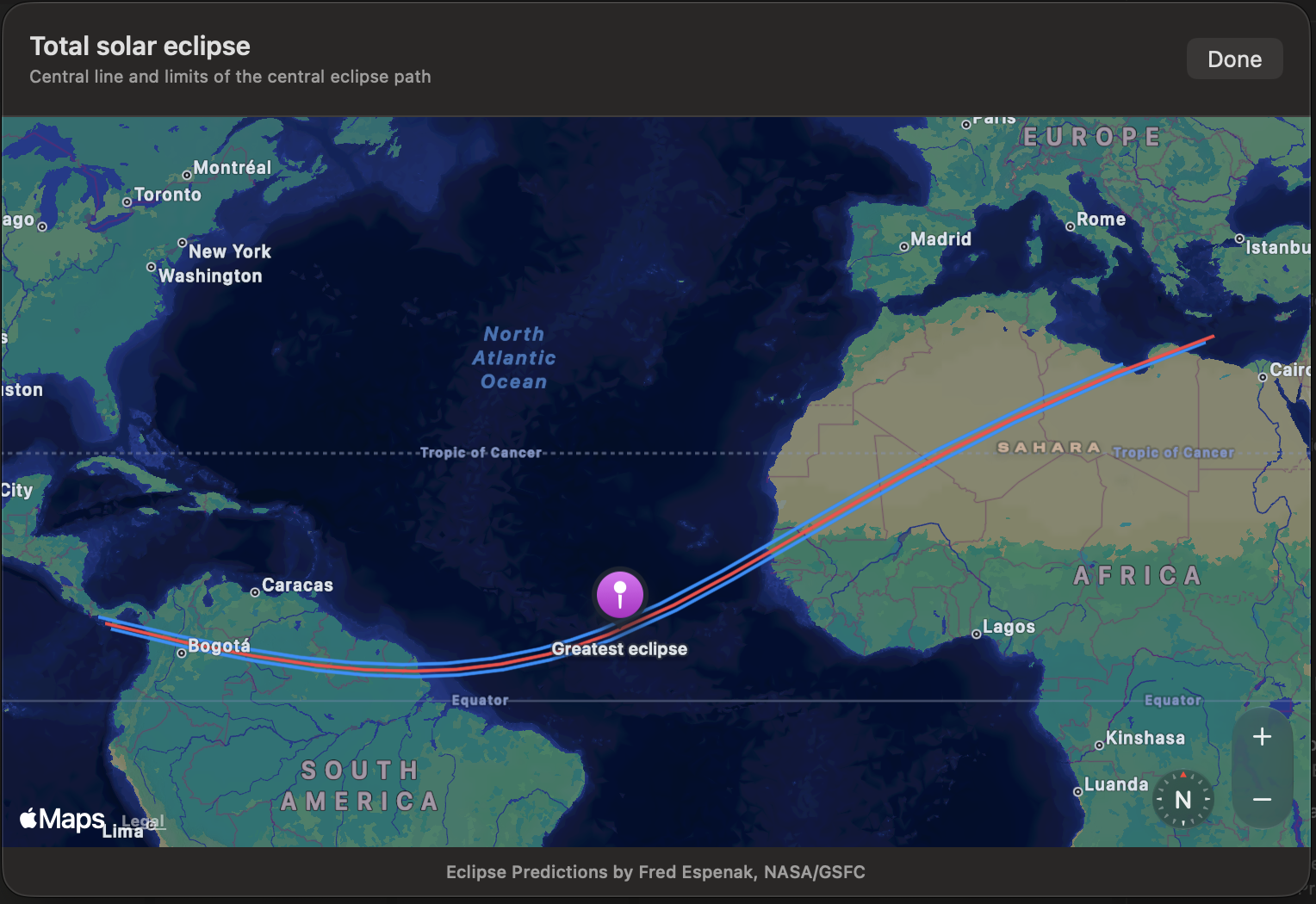
For a total, annular, or hybrid eclipse, select the map button at the right side of the event. You can also double-click the event row.
The map displays:
- The central line in red
- The northern and southern limits of the central eclipse path in blue
- The location of greatest eclipse with a purple marker
- Compass, map scale, and zoom controls
The path is the central path of totality or annularity. Partial solar eclipses do not have such a path, so Chronologia does not offer the map button for them.
Lunar eclipses
Lunar eclipses are identified as total, partial, or penumbral. The inspector shows:
- The time of greatest eclipse, labeled TD
- Penumbral magnitude
- Umbral magnitude
- The Saros series number
- The source acknowledgement
Lunar-eclipse predictions are credited in the app to Fred Espenak and Jean Meeus, NASA/GSFC. Chronologia does not currently provide a map for lunar eclipses.