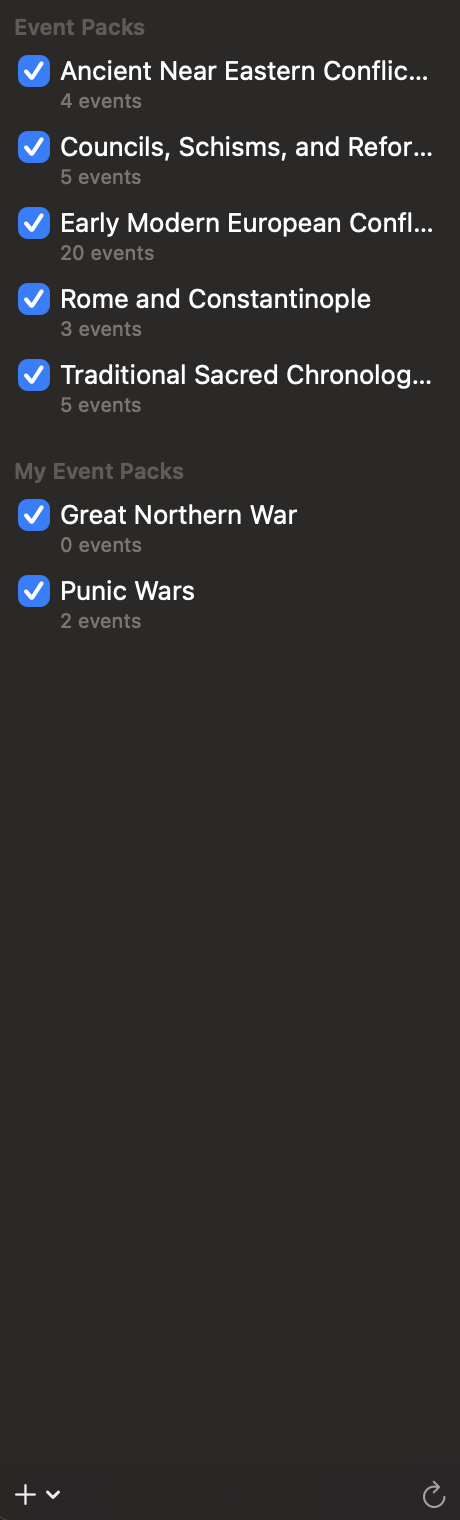
Event packs are collections of historical events. They appear in the Calendars sidebar.
Show or hide a pack
Select the checkbox beside an event pack to show its events in the calendar, inspector, and search results. Clear the checkbox to hide them. The count below each name shows how many events the pack contains.
Bundled packs are supplied with Chronologia. Personal packs appear under My Event Packs.
Create a personal event pack
- Open the add menu at the bottom of the sidebar.
- Choose New Event Pack….
- Enter a name and select Create.
- Complete the pack’s name, summary, author, and version, then select Save.
Import an event pack
- Open the add menu at the bottom of the sidebar.
- Choose Import Event Pack….
- Select a JSON event-pack file.
Edit or delete a personal pack
Control-click a pack under My Event Packs, then choose Edit… or Delete. Deleting a personal pack permanently removes it from Application Support.
Bundled packs are read-only.
Reload event packs
Select the reload button at the bottom-right of the sidebar to read the available packs again.